Elevate Your Joinery Presentations with Stunning 3D Visualization Solutions
Not satisfied with the rendering quality from your CAM software? Many joinery companies face this challenge. Technical models often lack the visual appeal and realism needed to impress clients or secure approvals. This gap can slow down decision-making and reduce the impact of your presentations. High-end 3D visualization offers a solution by transforming your designs into photo-realistic images that show your work exactly as you imagine it. This blog post explores how 3D visualization can elevate your joinery presentations, improve client communication, and support your marketing efforts.

Why Standard CAM Renders Often Fall Short
CAM software is excellent for technical accuracy and fabrication details, but its rendering capabilities usually focus on function over form. The images it produces can look flat, lack depth, or fail to capture the true colors and textures of materials. This makes it difficult for clients to visualize the final product and understand the quality of your craftsmanship.
Limited material realism: Basic textures and colors don’t show the natural grain or finish of wood.
Poor lighting effects: Shadows and reflections are often missing or unrealistic.
Lack of context: Models appear isolated without a sense of space or environment.
Minimal detail polish: Small design features and hardware don’t stand out.
These issues can cause misunderstandings, delays in approvals, and missed opportunities to showcase your expertise.
How 3D Visualization Enhances Joinery Presentations
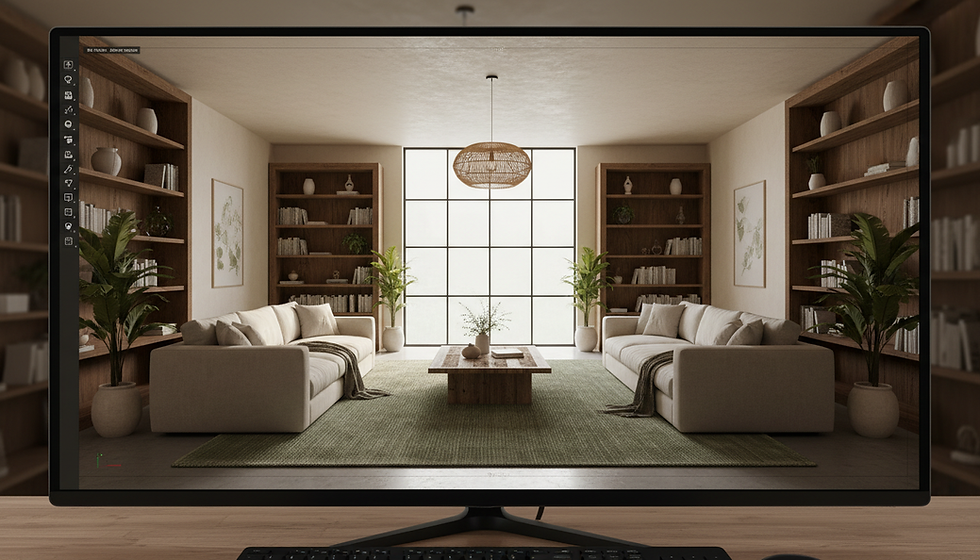
3D visualization takes your technical models and turns them into images that look like photographs of real furniture or interiors. This process involves advanced rendering techniques that simulate materials, lighting, and environment with precision.
Realistic Materials
High-quality 3D renders use detailed textures that replicate the look and feel of wood, metal, glass, and fabric. You can show clients exactly how a walnut veneer will appear under natural light or how a matte finish contrasts with polished hardware.
True-to-Life Lighting
Lighting makes a huge difference in perception. 3D visualization tools simulate sunlight, artificial light, and shadows to create depth and highlight design features. This helps clients understand how the joinery will look in their space at different times of day.
Polished Details
Small elements like joints, handles, and edging are rendered with sharpness and clarity. This attention to detail reassures clients about the quality of your work and helps differentiate your designs from competitors.
Contextual Presentation
Instead of floating models, 3D renders place your joinery in realistic settings such as bedrooms, offices, or kitchens. This contextualization helps clients imagine the product in their own environment, making decisions easier and faster.
Practical Uses of 3D Visualization in Joinery
Client Approvals
Clients often struggle to interpret 2D drawings or basic 3D models. Photo-realistic renders provide a clear, understandable image of the final product. This reduces back-and-forth questions and speeds up approval times.
Sales and Marketing
High-quality visuals are essential for brochures, websites, and social media. Stunning 3D images attract attention and build trust by showing your craftsmanship in the best light. They also help you stand out in a crowded market.
Design Iterations
3D visualization allows you to quickly test different materials, colors, and layouts without building physical prototypes. This saves time and money while enabling more creative freedom.
Fabrication Support
While CAM software drives production, 3D renders complement it by providing a visual reference for fabricators and installers. This helps ensure the final product matches the design intent.
Examples of Joinery Projects Improved by 3D Visualization
Walk-in closets: Showing clients how lighting and shelving arrangements work together in a realistic space.
Wardrobes: Demonstrating different door finishes and hardware options with accurate reflections and textures.
Custom cabinetry: Highlighting intricate joinery details and wood grain patterns that are hard to convey in drawings.
Office furniture: Presenting ergonomic designs with realistic materials and environment to support client buy-in.
How to Integrate 3D Visualization into Your Workflow
Start with your CAD or CAM models: Use your existing technical files as the base.
Choose a visualization partner or software: Work with a team experienced in joinery or invest in user-friendly rendering tools.
Define your goals: Decide if you need renders for client presentations, marketing, or internal design reviews.
Provide material samples and lighting preferences: The more information you give, the more accurate the renders.
Review and refine: Collaborate with your visualization team to tweak details until the images match your vision.
Use the renders strategically: Incorporate them into proposals, websites, social media, and client meetings.
Benefits Beyond Visual Appeal
Investing in 3D visualization does more than improve images. It strengthens communication, builds client confidence, and supports your brand reputation. When clients see polished, realistic visuals, they associate your company with quality and professionalism. This can lead to more referrals and repeat business.
Final Thoughts
If your current CAM software renders don’t capture the beauty and detail of your joinery work, 3D visualization offers a clear path forward. By showing your designs with realistic materials, true lighting, and fine details, you help clients understand and appreciate your craftsmanship. This leads to faster approvals, stronger presentations, and better marketing results.


Comments