California AB 723 is now law: what agents can and can't do with AI-edited listing photos
TL;DR — AB 723 took effect January 1, 2026, making California the first state with a law written specifically for digitally altered real estate images. It doesn't ban virtual staging or AI editing. It requires a conspicuous disclosure on or next to the altered image, plus access to the original. There's no state fine attached — but a willful violation of the Real Estate Law is a crime, which is a bigger exposure than an MLS fine ever was.
Most of what's circulating about AB 723 online is a mix of the statute, MLS rules, and rumor. Here's the actual text, and where a plan-based rendering sits inside it.
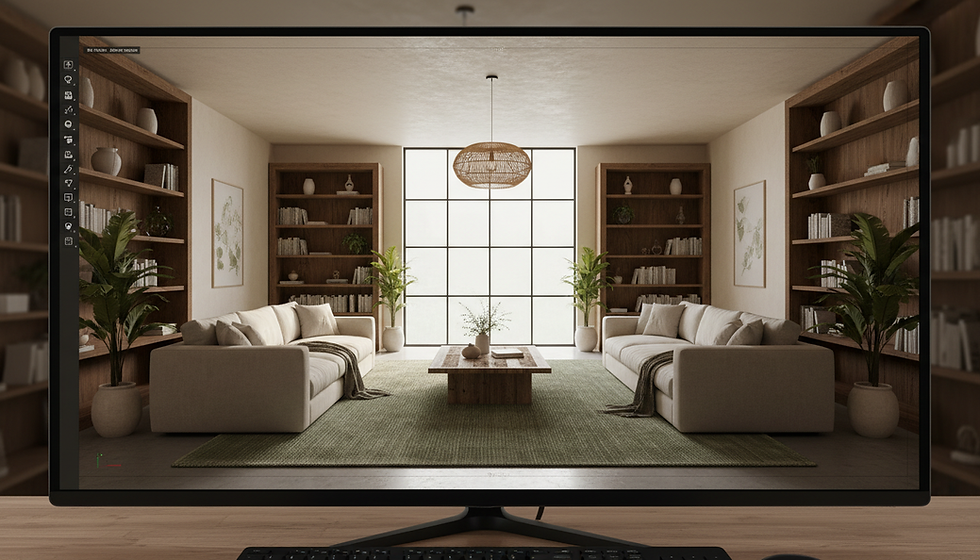
What the law actually requires
AB 723 was signed October 10, 2025 and added Section 10140.8 to the Business and Professions Code. It applies to a broker, salesperson, or anyone acting on their behalf — which means your photographer, your marketing vendor, and your staging tool are all inside the scope, not outside it.
If you publish a digitally altered image in an advertisement or promotional material for the sale of real property, you need two things:
A statement disclosing that the image has been altered. It must be reasonably conspicuous and located on or adjacent to the image, and it must tell the reader where to find the unaltered version.
A link, URL, or QR code to a publicly accessible site that includes and clearly identifies the original, unaltered image.
If the listing sits on a website you control, the statute goes further: you have to include the unaltered versions of those images in the posting itself, or link out to them.
One scope note that gets missed. The statute says sale of real property. Rentals aren't covered by AB 723.
What counts as "digitally altered" — and what doesn't
The definition is broader than most agents assume. It covers alterations made with photo editing software or AI to add, remove, or change elements in the image.
Requires disclosure | Does not require disclosure |
Virtual staging (adding furniture) | Lighting and exposure adjustments |
Virtually emptying a furnished room | White balance and color correction |
Changing paint color, flooring, or cabinets | Sharpening |
Altering hardscape or landscape | Straightening and angle correction |
Editing the facade | Cropping |
Modifying floor plans | Other common edits that don't change how the property is represented |
Removing streetlights or utility poles | |
Changing views through windows | |
Editing neighboring properties |
Read that left column again. Floor plans are explicitly named in the statute, as are elements outside the property but visible from it. Cleaning a power line out of a sky, softening a neighbor's roofline, or making a window view look better all land squarely in scope.
Note also that some MLSs layer additional restrictions on top of the state law — CRMLS, for example, has its own guidance that goes beyond the statute in places. Read your own MLS's rule text, not a summary of it.
The penalty question, where the internet gets it wrong
Two claims are floating around: that AB 723 carries no penalty, and that it makes non-disclosure a misdemeanor. Both are partly right, because they describe different layers.
At the MLS layer: CRMLS, California's largest, states there is currently no fine for violating its digitally altered image rule, and that its compliance team will contact you to correct the listing. Its Rules Committee said it would revisit fines during 2026.
At the state layer: AB 723 itself sets no dollar amount. But a willful violation of the Real Estate Law is a crime, and the bill's own legislative text acknowledges that it creates a new crime or infraction. That's on top of ordinary DRE complaint exposure and civil liability if a buyer relied on the image.
So the practical read is this. The MLS will probably just ask you to fix it. The state layer is where the real risk lives, and it doesn't care whether your MLS fined you.
Where renderings fit
This is the part worth understanding if you market new construction, remodels, or unbuilt inventory.
The statute defines a digitally altered image as one that has been altered — a photograph of an existing condition, edited to show something other than that condition. A rendering built from a plan set isn't that. It's an original depiction of a proposed condition, generated from drawings rather than derived from a photo of the house as it stands.
That's a materially different thing, and it's why renderings have always been marketed with a "proposed" or "artist's rendering" label rather than a photo disclosure.
Two caveats, and they matter. If you composite a rendering into a photograph of the actual site, you have altered a photograph. And a rendering that overstates what will be built is still misleading advertising under general law and under NAR Article 12, disclosure or no disclosure. The protection comes from the rendering being traceable back to the plans, the dimensions, and the finish schedule — not from what you call it.

A five-step habit that keeps you clean
Save the untouched original before you open any editing tool. You can't link to a file you didn't keep.
Label on the image, not buried in the remarks. "Digitally altered" or "virtually staged" is enough.
Host the originals somewhere public and stable, and point to them with a link or QR code.
Carry the disclosure into every channel — MLS, your own site, portals, social, print flyers. The statute says advertisement or promotional material, not "MLS."
For anything proposed rather than existing, use a plan-based rendering and label it as proposed. It's cleaner than editing a photo toward a future condition.
This is a general summary, not legal advice. Confirm specifics with your broker, your MLS's current rule text, and a California real estate attorney.
We produce plan-accurate renderings for agents, developers, and builders across Los Angeles and the South Bay — visuals traceable to real drawings, for listings where the property doesn't exist yet or doesn't look like it will. Get in touch.
Statute text: California AB 723, Chapter 497, Statutes of 2025. MLS guidance: CRMLS Digitally Altered Image FAQs.


Comments