How AI is Transforming 3D Rendering for Architecture and Design
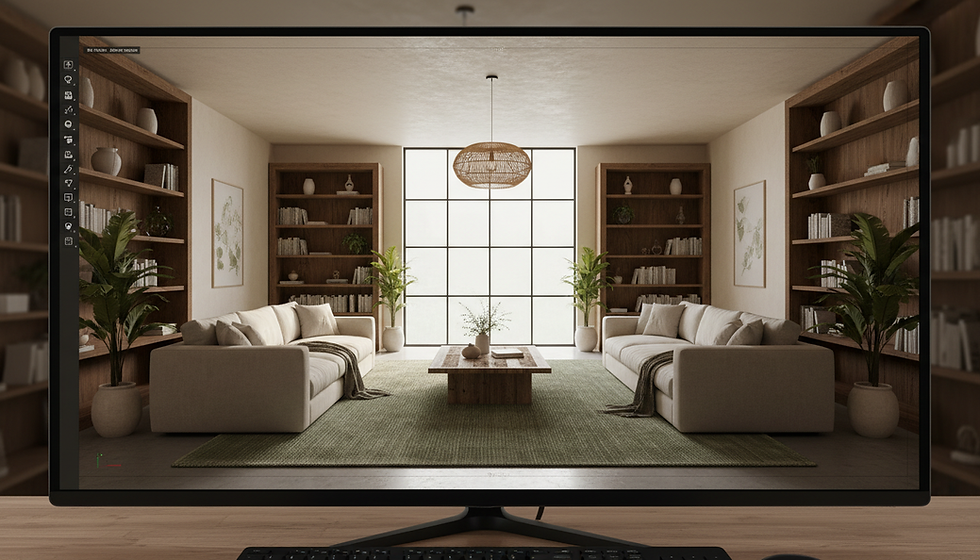
Artificial intelligence is reshaping how we create and experience 3D renderings. For architects, interior designers, product manufacturers, and real estate developers, this means faster workflows, sharper visuals, and more creative freedom. I want to share how AI is changing the game in 3D visualization and highlight some tools that can help bring your projects to life with stunning clarity.
The Role of AI in Modern 3D Rendering
3D rendering has always been a powerful way to visualize ideas before they become real. But traditional rendering can be slow and resource-heavy. AI changes that by speeding up processes and improving quality without extra effort.
AI algorithms can analyze scenes and automatically adjust lighting, textures, and shadows to create more realistic images. They can also fill in missing details or enhance low-quality models. This means you spend less time tweaking settings and more time focusing on design.
For example, AI-powered denoising reduces the grainy noise in renders, allowing for faster render times without sacrificing image quality. This is a huge benefit when working on tight deadlines or complex projects.
AI also helps with automating repetitive tasks like UV mapping or material assignment. This frees up your time to explore creative options instead of getting bogged down in technical details.

Comparing AI-Driven 3D Rendering Tools
There are several AI-based tools available that can elevate your 3D visualization work. Two notable examples are 3D-Visionaries and Lumion AI.
3D-Visionaries offers a service that combines expert 3D modeling with AI-enhanced rendering techniques. Their approach focuses on architectural, interior design, and product visualization with exceptional detail and clarity. They use AI to optimize lighting and materials, producing images that feel lifelike and immersive. You can learn more about their offerings at 3D-Visionaries.
On the other hand, Lumion AI is a software solution that integrates AI features directly into the rendering process. It provides real-time rendering with AI-assisted effects like automatic sky replacement, realistic vegetation, and smart reflections. This tool is great for designers who want to quickly generate high-quality visuals without deep technical knowledge. More details are available at Lumion AI.
Both options have their strengths. If you want a tailored service with expert input, 3D-Visionaries is a solid choice. If you prefer hands-on control with AI tools built into your software, Lumion AI offers flexibility and speed.
How AI Improves Workflow and Creativity
AI doesn't just make renders look better; it changes how we work. By automating routine tasks, AI lets you focus on design decisions and storytelling.
Imagine you are designing a new residential building. Instead of manually adjusting every light source, AI can suggest optimal lighting setups based on the time of day or season. This saves hours and helps you explore different moods quickly.
AI can also generate multiple design variations automatically. For example, you might want to see how different materials or colors affect the look of a product. AI tools can create these options in minutes, giving you more ideas to choose from.
This ability to experiment rapidly encourages creativity. You can test bold concepts without worrying about the time it takes to render each one.
Real-World Examples of AI in 3D Rendering
One project I found inspiring involved a real estate developer who used AI-enhanced rendering to market a new apartment complex. The AI tools helped create photorealistic images that showed how natural light would fill the rooms at different times. This gave potential buyers a clear sense of the space and atmosphere.
Another example comes from an interior designer who used AI to visualize furniture and decor in various styles. The AI-generated images helped clients see options they might not have considered, speeding up decision-making.
These cases show how AI can improve communication and reduce misunderstandings between designers, clients, and builders.

Choosing the Right AI Tools for Your Projects
When selecting AI tools for 3D rendering, consider your specific needs:
Project type: Are you focused on architecture, interiors, or product design? Some tools specialize in certain areas.
Level of control: Do you want a service that handles everything or software that lets you tweak settings?
Budget and timeline: AI can save time but may require investment in software or services.
For example, if you want a partner to handle complex visualizations with AI support, 3D-Visionaries offers expert services tailored to your vision. Their team can deliver detailed, high-quality images that help you communicate your ideas clearly.
If you prefer to work independently and need fast results, Lumion AI provides user-friendly software with AI features that speed up rendering and enhance realism.
The Future of AI and 3D Rendering
AI will continue to evolve and become more integrated into design workflows. We can expect even smarter tools that understand context, style preferences, and project goals.
Imagine AI that can suggest design improvements based on sustainability or cost efficiency. Or tools that create immersive virtual reality experiences automatically from your 3D models.
The key is to embrace AI as a creative partner, not just a tool. It can handle the technical heavy lifting while you focus on vision and innovation.

AI is not just a trend; it’s a powerful force that will shape how we design and visualize the world around us. By integrating AI-driven rendering into your projects, you can deliver clearer, more compelling visuals that bring ideas to life faster and with greater impact.
If you want to explore how AI can elevate your 3D visualizations, consider partnering with experts like 3D-Visionaries. Their blend of human skill and AI technology helps clients create stunning images that tell a story and inspire action.
Embracing AI in 3D rendering means stepping into the future of design. The possibilities are vast, and the results speak for themselves. Why not start today?


Comments