How Drafting and AI Are Changing Design Workflows
Drafting has long been the backbone of architecture, interior design, product manufacturing, and real estate development. It’s the process where ideas take shape on paper or screen, turning concepts into plans. But today, artificial intelligence (AI) is reshaping how we draft, making the process faster, smarter, and more precise.
In this post, I’ll explore how drafting and AI work together, what benefits they bring, and how you can use them to improve your projects. I’ll also share examples of tools that blend these technologies to help you visualize and communicate your designs better.
The Evolution of Drafting in Design
Drafting started as hand-drawn sketches and blueprints. Architects and designers spent hours creating detailed plans by hand. This method required skill, patience, and a steady hand. Mistakes meant erasing or starting over, which slowed down the process.
With the rise of computer-aided design (CAD) software, drafting became digital. CAD tools allowed for more accuracy and easier edits. Designers could create 2D and 3D models, test ideas, and share files quickly. This shift improved collaboration and reduced errors.
Now, AI is the next step in this evolution. It adds intelligence to drafting tools, helping automate repetitive tasks, suggest improvements, and even generate designs based on input data. AI can analyze patterns, optimize layouts, and predict outcomes, saving time and effort.

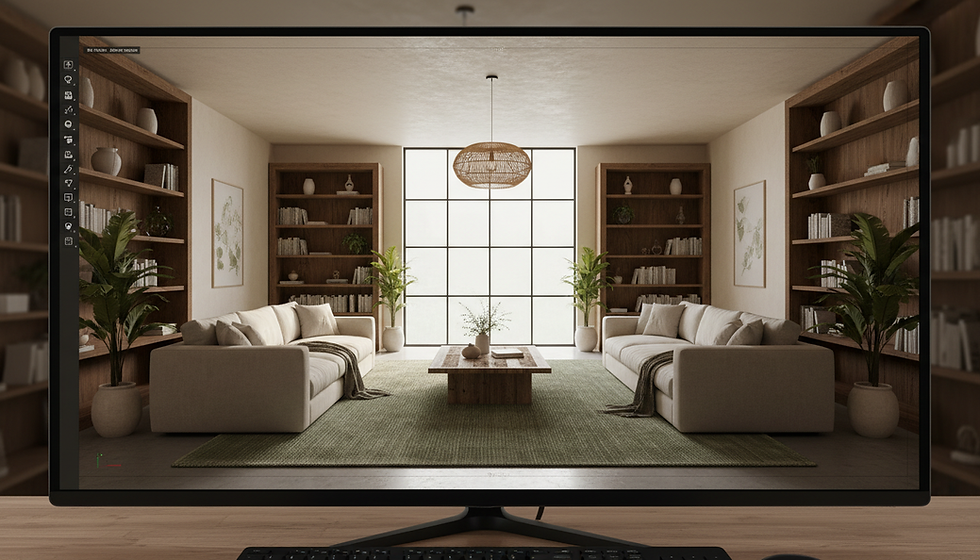
Digital drafting tools have transformed how architects and designers work.
How AI Enhances Drafting
AI brings several advantages to drafting workflows. Here are some key ways it helps:
Automating Repetitive Tasks
AI can handle routine work like dimensioning, labeling, and generating standard components. This frees designers to focus on creative and complex parts of the project.
Improving Accuracy
AI algorithms detect errors or inconsistencies in drawings. They can flag potential clashes in building systems or suggest corrections before construction begins.
Generating Design Options
By inputting parameters like space size, style preferences, or material choices, AI can create multiple design alternatives. This helps explore ideas faster and find the best solution.
Enhancing Visualization
AI-powered rendering tools produce photorealistic images that show how a design will look in real life. This makes it easier to communicate ideas to clients and stakeholders.
Learning from Data
AI systems improve over time by learning from past projects. They can recommend best practices or predict project risks based on historical data.
Examples of AI-Driven Drafting Tools
To see AI in action, let’s look at some products that combine drafting and AI capabilities.
3D-Visionaries Photorealistic Product Rendering Services
3D-Visionaries offers photorealistic product rendering services that bring designs to life with stunning clarity. Their AI-enhanced rendering creates detailed images of architectural elements, interiors, and products. This helps clients visualize the final result before production or construction.
Using such services can improve communication and reduce costly changes later. The realistic visuals also support marketing and presentations, making designs more compelling.
AI-Powered CAD Software
Some CAD platforms now integrate AI features. For example, they can automatically generate floor plans based on user input or optimize layouts for better space use. These tools speed up drafting and reduce manual errors.
Design Assistance Tools
AI assistants can help with material selection, cost estimation, and compliance checks. They analyze project requirements and suggest options that meet standards and budgets. This support makes drafting more efficient and informed.

AI can generate multiple design options quickly, helping designers explore ideas.
Benefits of Combining Drafting and AI
Integrating AI into drafting workflows offers clear benefits:
Faster Project Completion
Automation and smart suggestions reduce time spent on routine tasks and revisions.
Higher Quality Designs
AI helps catch mistakes early and optimize designs for function and aesthetics.
Better Client Communication
Realistic renderings and multiple design options make it easier to share ideas and get feedback.
Cost Savings
Reducing errors and rework lowers overall project costs.
Increased Creativity
With AI handling technical details, designers can focus more on innovation and unique solutions.
Practical Tips for Using AI in Drafting
If you want to start using AI in your drafting process, here are some steps to consider:
Choose the Right Tools
Look for software or services that fit your workflow and project needs. For example, 3D-Visionaries’ photorealistic product rendering services can enhance your presentations.
Train Your Team
Make sure everyone understands how to use AI features effectively. Training helps avoid mistakes and maximizes benefits.
Start Small
Begin by automating simple tasks or using AI for visualization. Gradually expand as you gain confidence.
Keep Human Oversight
AI is a tool, not a replacement. Always review AI-generated work to ensure it meets your standards.
Stay Updated
AI technology evolves quickly. Keep an eye on new developments to stay competitive.

Reviewing AI-generated renderings helps ensure design quality and client satisfaction.
Drafting and AI together are transforming how we design and build. They speed up workflows, improve accuracy, and open new creative possibilities. By embracing these tools, you can deliver better projects with clearer communication and less hassle.
If you want to elevate your design presentations, consider integrating photorealistic product rendering services into your process. They provide vivid, detailed visuals that bring your ideas to life and impress clients.
The future of drafting is here. It’s smart, fast, and visual. Are you ready to take your designs to the next level?


Comments