How to Hire a Remote CAD Drafter for Remote CAD Drafting Services
In today’s fast-paced design and construction world, precision and efficiency are everything. Whether you’re working on architectural plans, interior layouts, or product designs, having a skilled CAD drafter on your team can make all the difference. But what if your ideal expert isn’t just down the hall but halfway across the globe? Remote CAD drafting services have become a game-changer, offering flexibility, access to global talent, and cost savings. So, how do you navigate the process to hire a remote CAD drafter who fits your project like a glove?
Understanding Remote CAD Drafting Services
Remote CAD drafting services allow you to tap into a pool of talented professionals who work from their own locations. This setup breaks down geographical barriers and opens doors to specialists with diverse expertise. But it also requires a clear understanding of what you need and how to communicate it effectively.
Remote CAD drafting is not just about sending files back and forth. It’s about collaboration, precision, and trust. The right drafter will translate your sketches, ideas, and concepts into detailed, accurate digital drawings that serve as the backbone of your project.
Why Choose Remote CAD Drafting?
Access to specialized skills: Find drafters with niche expertise in architecture, interior design, or product manufacturing.
Cost efficiency: Save on office space, equipment, and local salary premiums.
Flexibility: Scale your team up or down based on project demands.
Faster turnaround: Time zone differences can sometimes speed up project delivery.
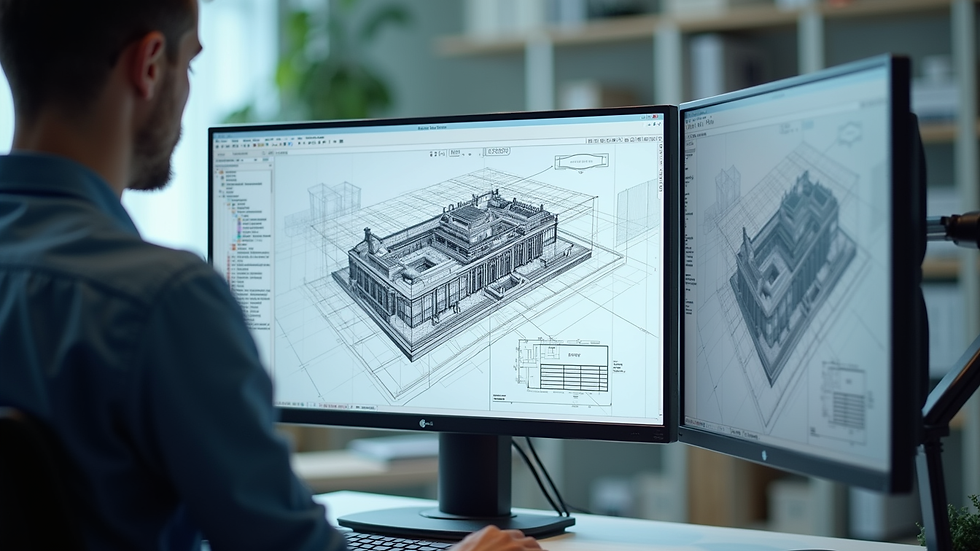
Key Qualities to Look for in Remote CAD Drafting Services
When you decide to hire a remote CAD drafter, it’s essential to look beyond just technical skills. The best professionals combine technical prowess with communication skills and reliability.
Technical Expertise
Software proficiency: Ensure the drafter is skilled in the CAD software you use, such as AutoCAD, Revit, SolidWorks, or others.
Industry knowledge: A drafter familiar with your industry will understand standards, codes, and best practices.
Attention to detail: Precision is non-negotiable in CAD drafting.
Communication and Collaboration
Clear communication: Remote work demands clear, concise updates and the ability to ask questions proactively.
Responsiveness: Timely replies keep projects on track.
Collaboration tools: Familiarity with platforms like Zoom, Slack, or project management software is a plus.
Reliability and Work Ethic
Meeting deadlines: A remote drafter must manage their time effectively.
Quality assurance: Look for someone who double-checks their work.
References and portfolio: Past work and client feedback provide insight into their professionalism.
How to Effectively Hire a Remote CAD Drafter
Finding the right remote CAD drafter is like assembling a puzzle. Each piece - skills, communication, reliability - must fit perfectly. Here’s a step-by-step guide to streamline your hiring process.
1. Define Your Project Needs Clearly
Before you start searching, outline your project scope, deliverables, timelines, and software requirements. The clearer you are, the easier it is to find a match.
2. Search in the Right Places
Look for candidates on specialized job boards, freelance platforms, or through professional networks. You can also consider agencies that offer remote CAD drafting services.
3. Review Portfolios and Experience
Ask for samples of previous work related to your field. This will help you assess their style, accuracy, and attention to detail.
4. Conduct Interviews
Use video calls to gauge communication skills and professionalism. Prepare questions about their workflow, problem-solving approach, and availability.
5. Test Their Skills
Consider assigning a small paid test project. This practical step reveals how they handle your specific requirements.
6. Set Clear Expectations
Discuss deadlines, communication frequency, file formats, and revision policies upfront. A written agreement or contract is advisable.
7. Use Project Management Tools
Implement tools that facilitate file sharing, feedback, and progress tracking. This keeps everyone aligned and accountable.

Common Challenges and How to Overcome Them
Remote work is not without its hurdles. Anticipating and addressing these challenges can save time and frustration.
Time Zone Differences
Scheduling meetings and feedback sessions can be tricky. Use shared calendars and agree on overlapping working hours.
Communication Gaps
Misunderstandings can occur without face-to-face interaction. Encourage detailed updates and use video calls to clarify complex points.
Quality Control
Without direct supervision, quality might slip. Establish clear quality standards and regular review checkpoints.
Data Security
Protect your intellectual property by using secure file-sharing platforms and confidentiality agreements.
Maximizing the Benefits of Remote CAD Drafting Services
Once you’ve hired your remote CAD drafter, how do you ensure a smooth, productive partnership?
Build rapport: Take time to understand their working style and preferences.
Provide detailed briefs: The more information you share upfront, the fewer revisions you’ll need.
Encourage feedback: Create an open environment where questions and suggestions are welcome.
Celebrate milestones: Recognize achievements to keep motivation high.
By fostering a collaborative relationship, you turn a remote drafter into a trusted extension of your team.
Bringing Your Vision to Life with the Right Partner
In the world of design and manufacturing, every line and curve matters. The right remote CAD drafter can transform your concepts into precise, actionable plans that drive your project forward. If you want to hire a remote cad drafter who understands your vision and delivers with excellence, start with clear goals, thorough vetting, and open communication.
Remote CAD drafting services are more than a convenience - they are a strategic advantage. Embrace the possibilities and watch your ideas take shape with clarity and detail like never before.


Comments