Master Advanced Photorealistic Rendering Techniques
Photorealistic rendering is more than just a technical skill—it's an art form that breathes life into digital models. When done right, it transforms flat designs into vivid, tangible experiences. But how do you elevate your renders from good to breathtakingly real? Let me take you through the advanced techniques that will sharpen your craft and help you create visuals that captivate and convince.
Unlocking the Power of Photorealistic Rendering Techniques
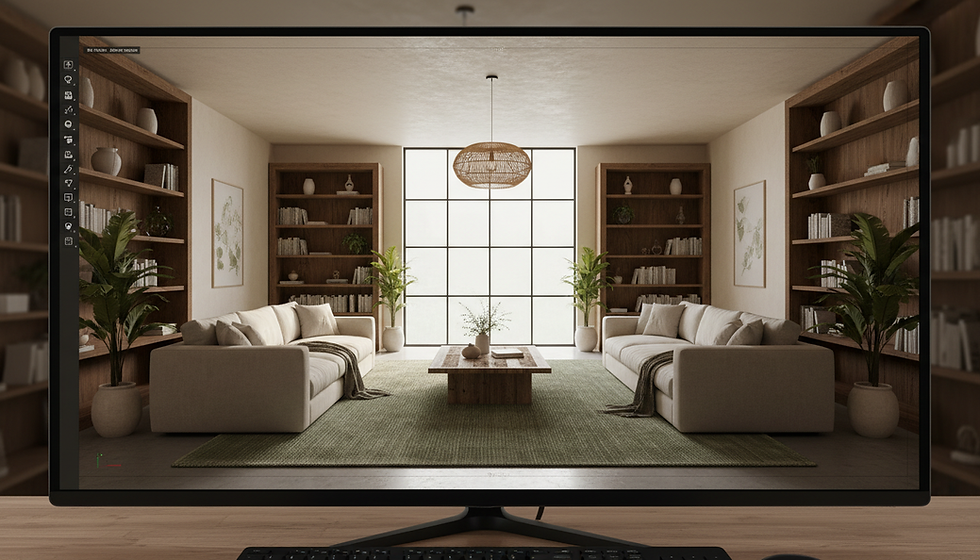
Photorealistic rendering techniques are the backbone of creating images that mimic reality with astonishing accuracy. At its core, photorealism demands attention to detail, mastery of light, and a deep understanding of materials. But what separates an average render from a masterpiece?
First, consider lighting. Lighting is the soul of your scene. Natural light, artificial light, and their interplay define mood, depth, and realism. Advanced techniques like global illumination simulate how light bounces off surfaces, creating soft shadows and subtle color bleeding. This is crucial for architectural visualizations where sunlight filters through windows, casting realistic shadows on floors and walls.
Next, material shaders must be meticulously crafted. Real-world materials have complex properties—reflectivity, roughness, translucency—that change with viewing angle and lighting. Using physically based rendering (PBR) materials ensures your surfaces react authentically to light. For example, a polished marble floor should reflect light differently than a matte wooden table, and your render should capture these nuances.
Finally, camera settings in your 3D software mimic real-world photography. Depth of field, focal length, and exposure settings add layers of realism. A shallow depth of field can draw attention to a product detail, while a wide-angle lens can emphasize spaciousness in an interior.

Essential Tools and Workflow for Photorealistic Rendering Techniques
Mastering photorealistic rendering requires not only knowledge but also the right tools and a streamlined workflow. Here’s how I approach it:
Modeling with precision: Start with clean, accurate geometry. Avoid unnecessary polygons but ensure enough detail to capture curves and edges realistically.
Texturing and UV mapping: Proper UV unwrapping prevents texture stretching and distortion. Use high-resolution textures for surfaces like wood grain, fabric, or stone.
Lighting setup: Use HDRI maps for realistic environmental lighting. Combine them with artificial lights to highlight key features.
Material creation: Utilize PBR workflows with maps for albedo, roughness, metallic, normal, and displacement. Experiment with subsurface scattering for materials like skin or wax.
Rendering engine choice: Engines like V-Ray, Corona, or Arnold offer advanced features for photorealism. Choose one that fits your project needs and hardware capabilities.
Post-processing: Use software like Photoshop or After Effects to fine-tune color grading, contrast, and add subtle effects like bloom or lens flares.
This workflow ensures every render is polished and professional, ready to impress clients or stakeholders.
Can AI render my 3D model?
Artificial intelligence is reshaping many creative fields, and photorealistic rendering is no exception. But can AI truly render your 3D model with the finesse of a seasoned artist?
AI-powered tools are increasingly capable of automating parts of the rendering process. For instance, AI denoisers speed up rendering by cleaning up noisy images without sacrificing quality. Some platforms even offer AI-driven material suggestions or lighting setups based on your scene.
However, AI is not yet a full substitute for human expertise. It excels at enhancing and accelerating workflows but lacks the nuanced judgment required for artistic decisions. The subtle play of light, the emotional tone of a scene, and the storytelling embedded in a render still demand a human touch.
That said, integrating AI tools into your pipeline can boost efficiency and open new creative possibilities. Think of AI as a powerful assistant—one that handles the heavy lifting so you can focus on the vision.

Practical Tips to Elevate Your Photorealistic Renders
To truly master photorealistic rendering techniques, you need more than theory—you need actionable strategies. Here are some tips I’ve found invaluable:
Study real-world references: Observe how light interacts with materials in different environments. Take photos or gather images to analyze textures, shadows, and reflections.
Use layered lighting: Combine multiple light sources to mimic complex real-world lighting scenarios. For example, mix ambient light with spotlights and bounce lights.
Optimize render settings: Balance quality and render time by adjusting samples, resolution, and ray depth. Test small regions before committing to full renders.
Experiment with camera angles: Sometimes, a slight change in perspective can dramatically improve the composition and realism.
Leverage professional 3d rendering services when deadlines are tight or projects demand ultra-high quality. Outsourcing can provide access to specialized skills and cutting-edge technology.
By applying these tips, your renders will not only look realistic but also tell a compelling story that resonates with viewers.
Beyond the Render: Bringing Your Vision to Life
Photorealistic rendering is a gateway to immersive storytelling. It’s not just about technical accuracy—it’s about evoking emotion and sparking imagination. When clients see a render that feels tangible, they can envision the final product with clarity and confidence.
In my experience, the best renders are those that balance precision with artistry. They invite viewers to step inside a space, touch a surface, or imagine living in a design. This is where advanced photorealistic rendering techniques truly shine.
Whether you’re showcasing a new architectural project, designing an interior, or presenting a product prototype, remember that every pixel counts. Invest time in mastering these techniques, and your visuals will become powerful tools that elevate your work and inspire your audience.
Mastering photorealistic rendering is a journey—one filled with challenges, discoveries, and endless creative potential. Embrace the process, keep experimenting, and watch your digital visions transform into stunning realities.


Comments